
What is OneSignal?
OneSignal is a messaging platform that allows you to reach users via:
- Push notifications (mobile & web)
- In-app messages
- Email and SMS (optional)
This guide focuses on push and in-app messaging.
1. Push Notifications
What are push notifications?
Messages sent directly to a user’s device—even when they’re not using your app.
Setup
1. Create a OneSignal app
- Sign up
- Create app
- Select platform
2. Install the SDK
- Web: JavaScript snippet
- Mobile: iOS/Android SDK
3. Configure permissions
- Ask after user interaction
- Avoid showing immediately on load
Send a notification
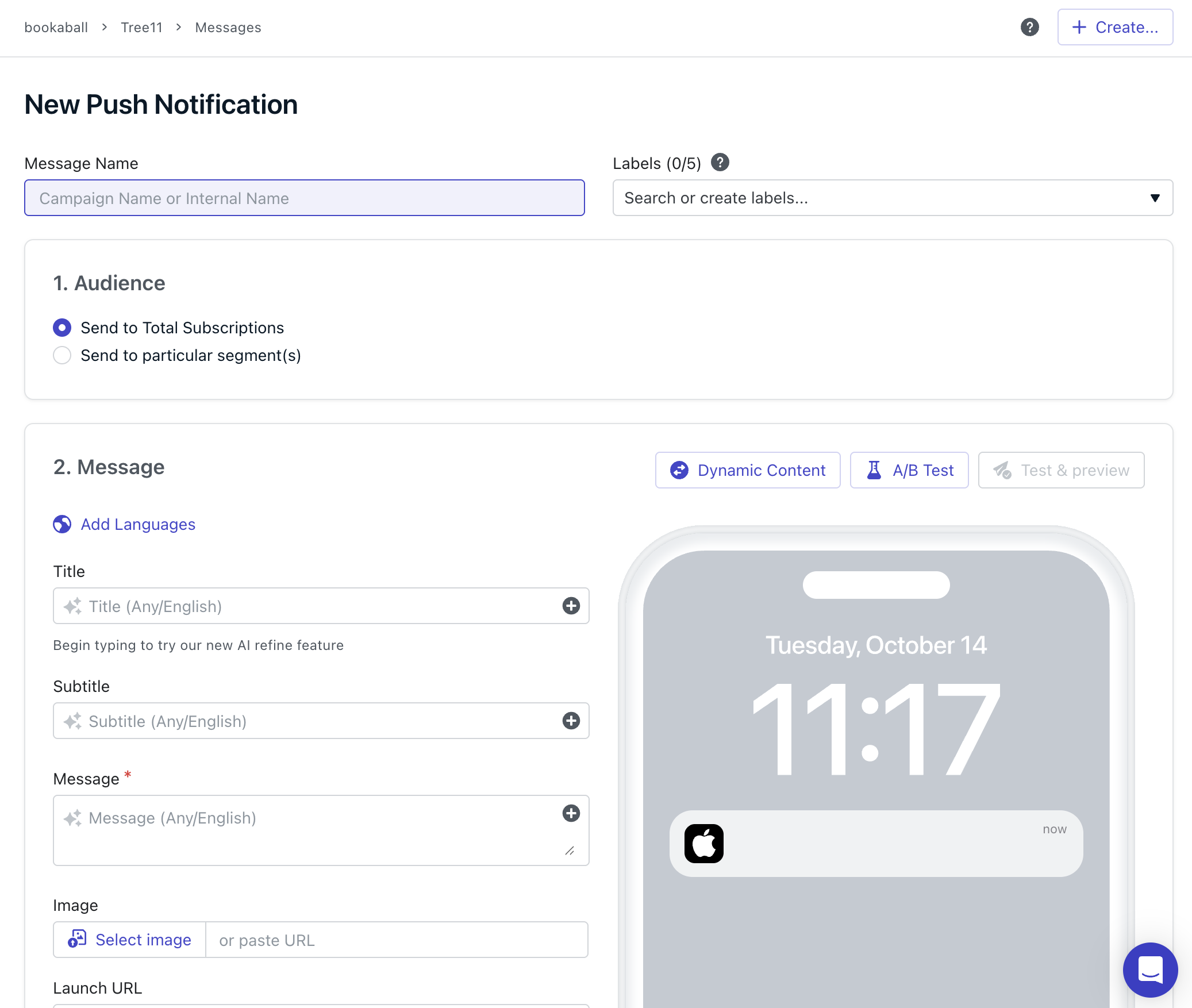
- Go to Messages → Push
- Click New Push
- Select audience
- Add title and message
- Send or schedule
Targeting
Use:
- Tags
- Location
- Device type
- Activity
Example: target users inactive for 7 days.
Best practices
- Keep messages short
- Personalise where possible
- Don’t over-send
- Test timing and content
Here we also have a video you can watch:
2. In-app Messages
What are in-app messages?
Messages shown while users are active in your app or site.
- No permission needed
- Less intrusive
- Context-driven
Use cases
- Onboarding
- Feature announcements
- Upsells
- Feedback requests
Setup
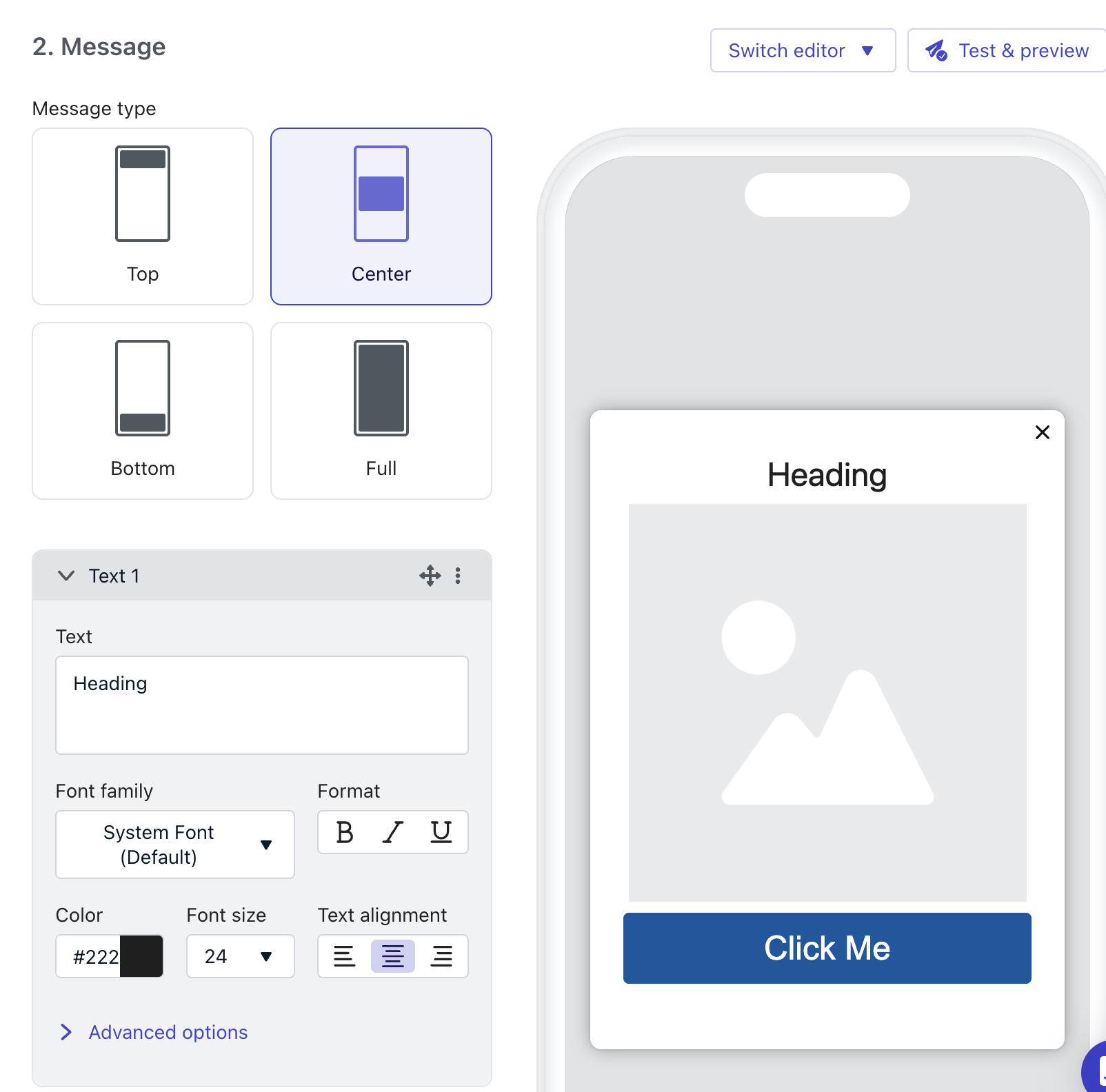
- Go to messages → In-app
- Create new message
- Choose a template (modal, banner, full-screen)
Triggers
- Time-based
- Event-based
- Behavior or tags
Example: show offer after viewing 3 products
Best practices
- Match user behavior
- Avoid interrupting key actions
- Use clear CTAs
- Limit frequency
Recommended flow
- Send a push notification to bring users back
- Use in-app messaging to guide them
Example:
- Push: “Flash sale starts now”
- In-app: “Get 20% off—tap here”Also check our video: